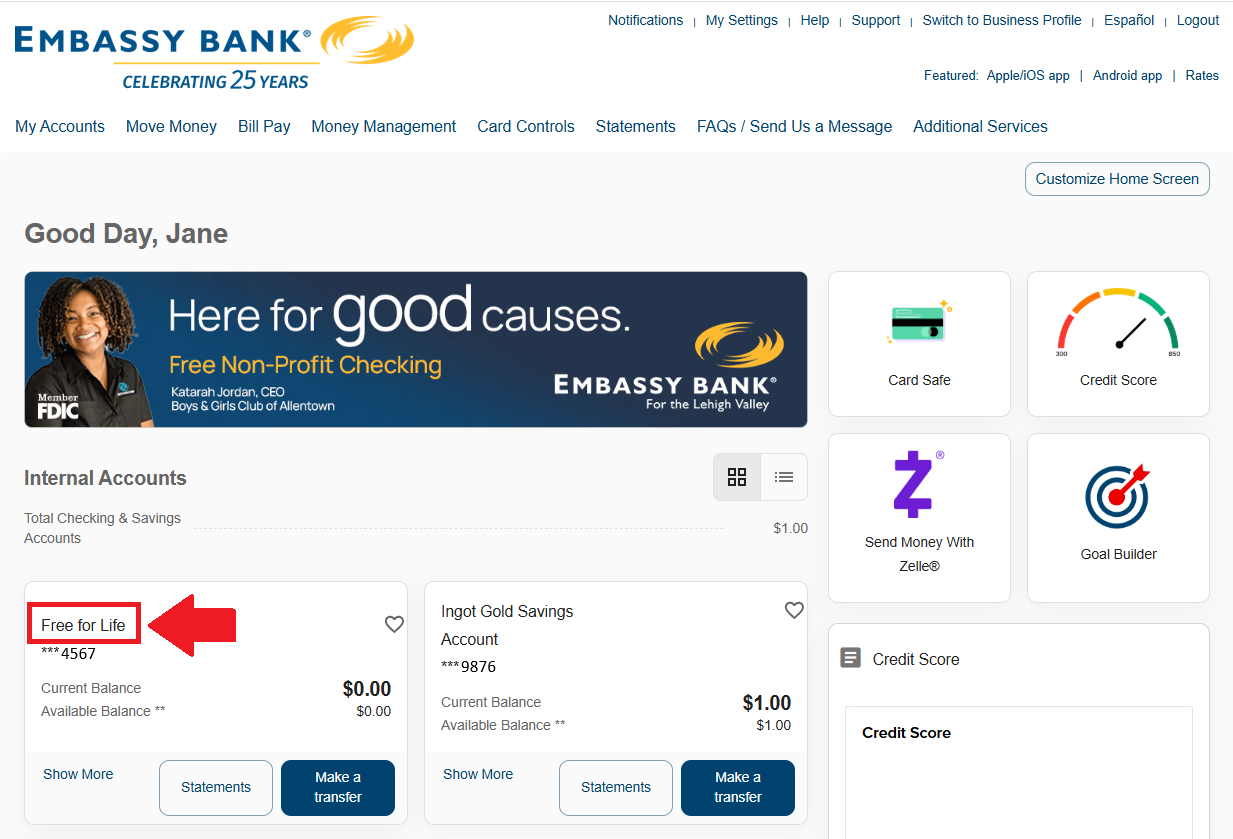
1. Click on the account name:
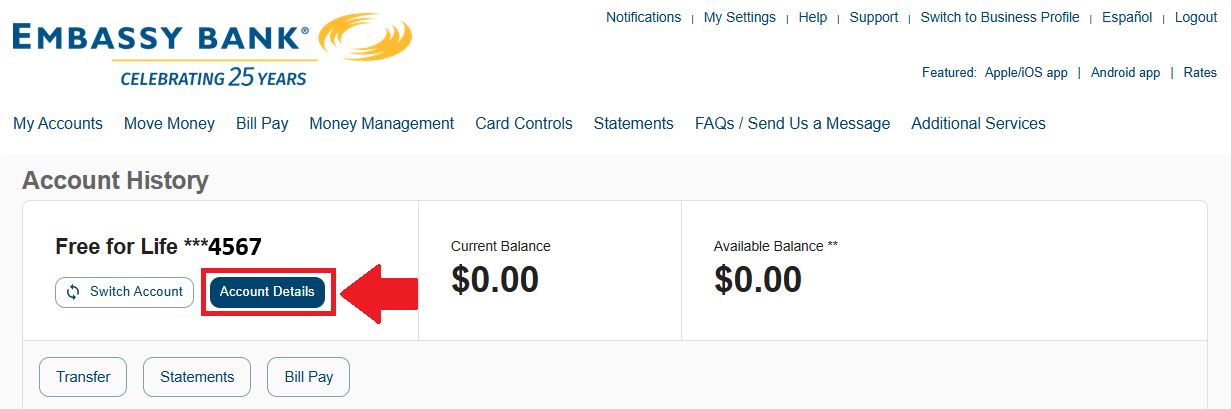
2. In the Account History screen, click on Account Details:
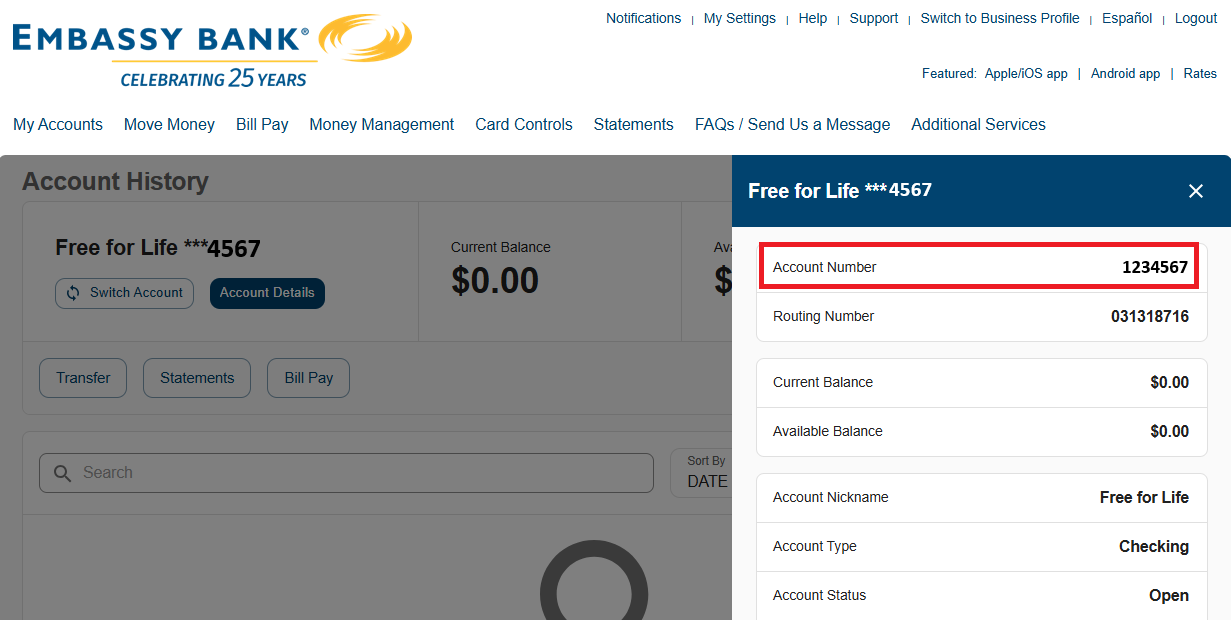
3. Your full account number will display in the Account Details:

Modified on: Wed, Jul 22, 2026 at 11:11 AM
1. Click on the account name:
2. In the Account History screen, click on Account Details:
3. Your full account number will display in the Account Details:
Did you find it helpful? Yes No
Send feedback